
Organize your tasks. 100% Private.
Do-Tasks is a simple and free Kanban board that works directly in your browser. Your data never leaves your computer.
Start Organizing Now!Do-Tasks is a simple and free Kanban board that works directly in your browser. Your data never leaves your computer.
Start Organizing Now!Your tasks are saved only in your browser's 'LocalStorage'. We do not collect your information.
Save a backup of your tasks in a JSON file and take them to another device whenever you want.
No sign-ups, no loading screens. Just open the page and start organizing your ideas.
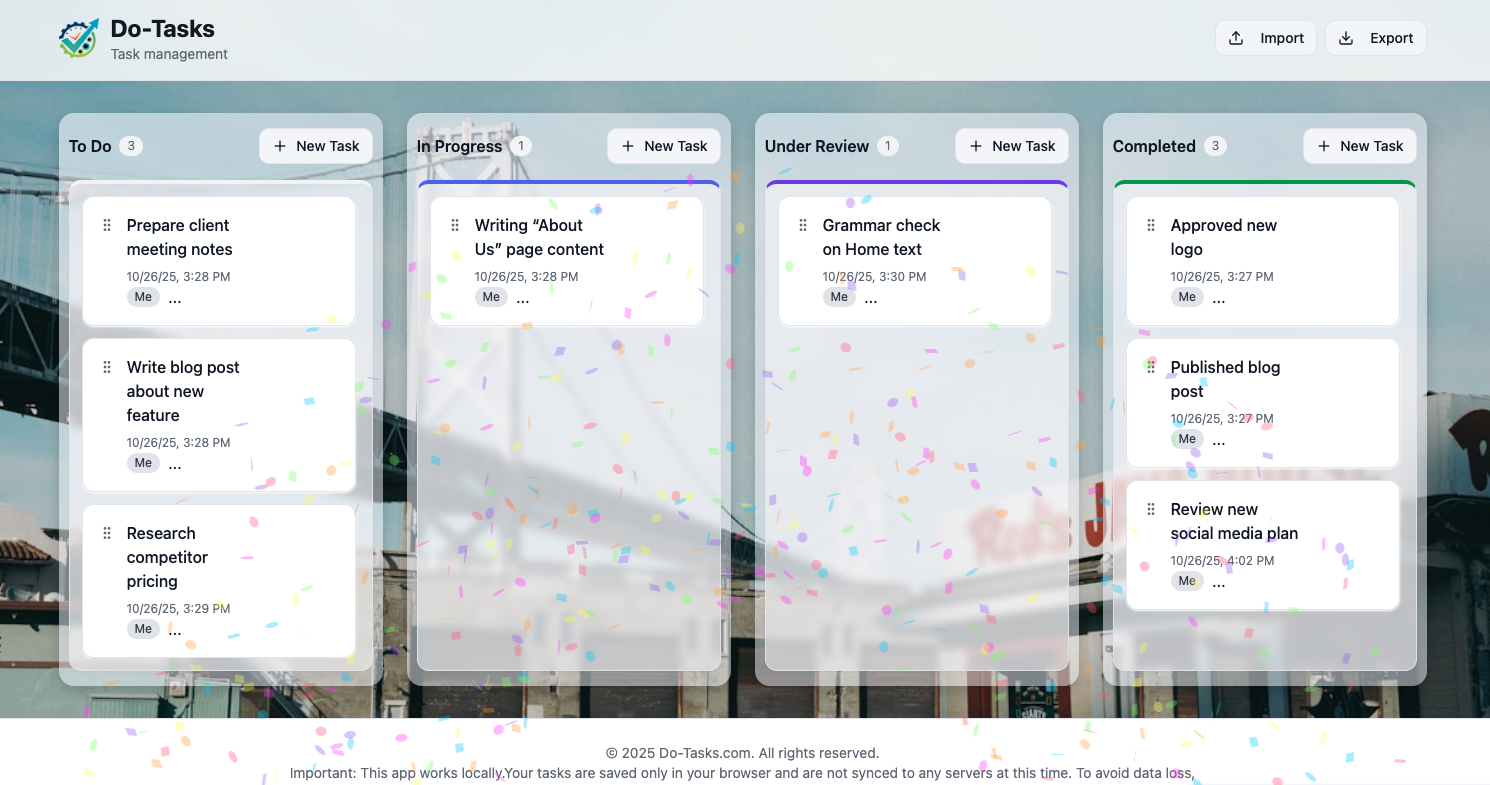
Manage your workflow from "To Do" to "Completed" with a clean, visual interface.
Move tasks between columns intuitively.
Create, edit, and delete tasks instantly. No waiting.
Assign tasks to "Me" or anyone on your team.
Keep track of assignments, study sessions, and project deadlines all in one simple board.
Manage your personal projects, track bugs, or plan your next sprint without any heavy setup.
Plan, track, and complete your work simply.
We built Do-Tasks with a "privacy-first" approach. We believe you shouldn't have to hand over your personal data just to organize your to-do list. Your data is never sent to a server.
Yes, it’s 100% free. Our philosophy is to provide simple, high-quality task management software for everyone — without locking users behind paywalls or restricting access to their data. We plan to support the site through unobtrusive ads on the landing page, optional donations ((buy us a coffee ☕), and a future freemium model offering paid integrations and enterprise features. The core app will always remain clean, private, and free.
Your data is stored exclusively in your browser's 'LocalStorage'. It never touches our servers. This makes it fast and completely private.
If you clear your browser's 'LocalStorage' or 'Site Data', your tasks will be permanently deleted. Please use the "Export" feature regularly to create backups on your computer.
Currently, Do-Tasks is a local, single-user tool. You cannot share boards in real-time. However, you can use the "Export" feature to send a backup file to a colleague, who can then "Import" it.
No sign-up. No credit card. Just a simple tool to help you get things done.
Start Organizing Now!